
Open source · MIT licensed
Write conversations that branch.
An open-source toolkit for writing, testing and running scripted dialogues between people and computers — from virtual health coaches to games and chatbots.
title: Start
speaker: Martin McOwl
---
Hey there! Do you want a quick tour of Dialogue Branch?

[[Sure!|Tour]]
===
title: Tour
speaker: Martin McOwl
---
Wonderful! A dialogue is a script made of nodes: text plus replies.

[[Like this chat?|Meta]]
[[Why scripts?|WhyScripts]]
[[How do I write one?|Write]]
===
Dialogue Branch gives you the creative freedom to write engaging interactive conversations...
Whether you're building a virtual health coach, a video game, or a customer support chatbot — if the quality and reliability of the conversation is important, Dialogue Branch may be the right tool for you.
Write and test dialogues in Studio
Build dialogues in Studio's graph editor, on top of plain .dlb scripts that are easy to read and to keep under version control. Play them through as speech bubbles or text, translate them, and publish when they're ready: your drafts stay apart from what your users see.
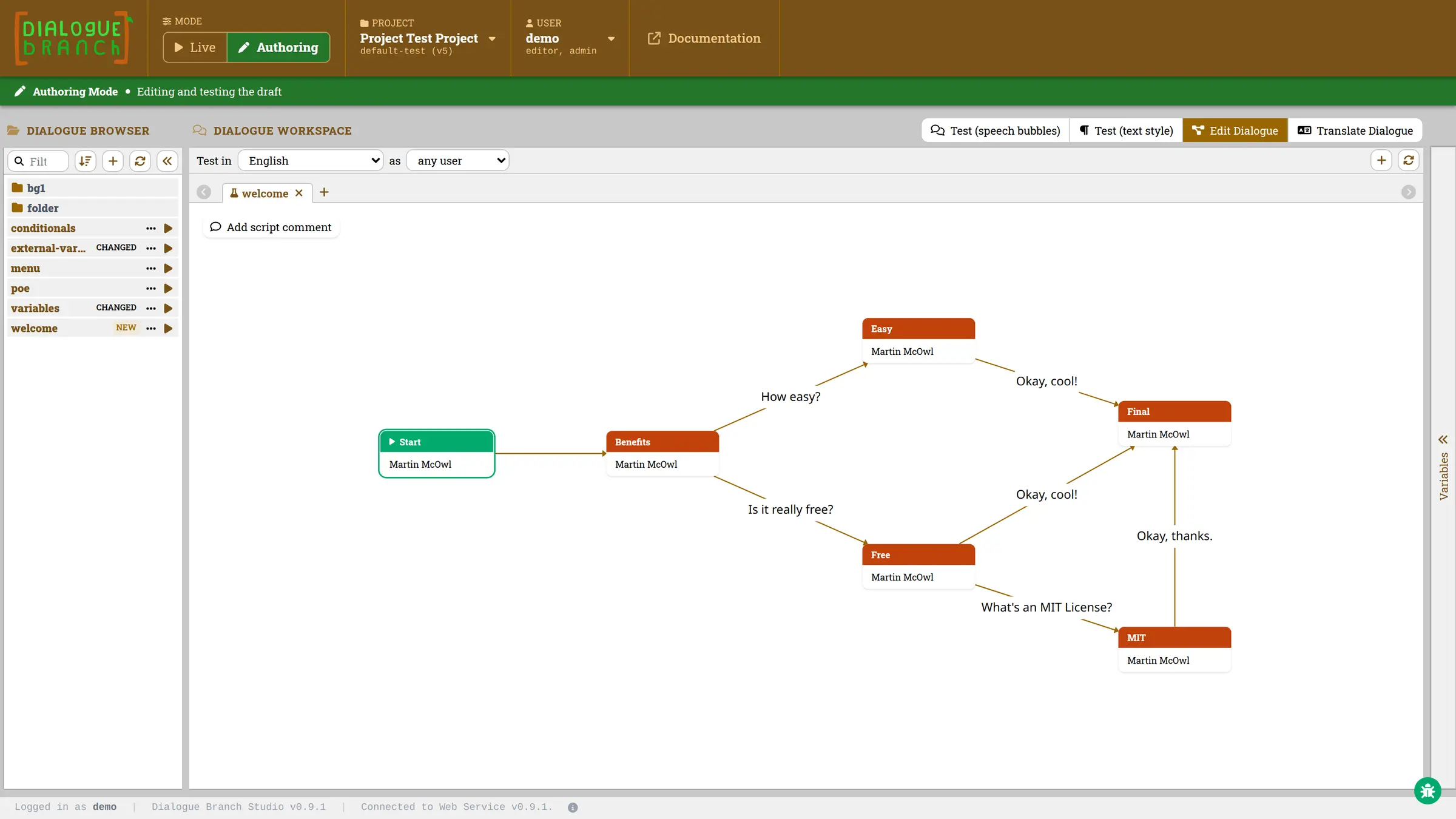 About Studio →
The
.dlb language →
Run dialogues on your own server
A Spring Boot service with a REST API for playing and authoring dialogues, secured with Keycloak and backed by MariaDB. It fits in alongside your existing systems, reading and updating variables through your own API. Docker files for the whole stack are included.
Bring dialogues into your app
Connect a website, mobile app, game or chatbot through the JavaScript client or the REST API, or build the Java library straight into your application.
import { DialogueBranchClient }
  from '@dialoguebranch/client-js';

const client = new DialogueBranchClient({
  baseUrl:
    'https://my.server/dlb-web-service/v1',
});

const step = await client.startDialogue({
  projectSlug: 'my-project',
  dialogueName: 'welcome',
  timeZone: 'Europe/Amsterdam',
});

console.log(step.statement.fullStatement());
for (const reply of step.replies)
  showReply(reply);  // your own UI
var project = ExecutableProject.load(
Path.of("dlb-project.xml"));
var dialogue = project.startDialogue(
"welcome", new User("sam"));
var step = dialogue.getCurrentMessage();
System.out.println(step.getStatement()
.getText());
for (var reply : step.getReplies())
showReply(reply); // your own UIPOST /dlb-web-service/v1/dialogue/start
?projectSlug=my-project
&dialogueName=welcome
&timeZone=Europe/Amsterdam
Authorization: Bearer eyJhbGciOi…
// 200 OK
{
"speaker": "Martin McOwl",
"statement": { "segments": [{
"segmentType": "TEXT",
"text": "Dialogue Branch lets you…"
}] },
"replies": [{ "replyId": 1, … }],
"loggedDialogueId": "6f1c…",
"loggedInteractionIndex": 0
}Open source, MIT licensed
The language, the core library, the Web Service, Studio and the JavaScript client all live in one repository, versioned and released together. Use it, change it, host it: it's yours.
dialoguebranch / platform JavaJavaScriptVue LicenseMIT npm@dialoguebranch/client-js
View on GitHub →
Releases →
Who's behind it
Under development since 2017, and maintained by Fruit Tree Labs together with everyone who contributes on GitHub.
Read the story →


Get started
Start the Web Service on your own machine with Docker Compose, then try out its API right from your browser.
Branching dialogue, from script to app. Open source under the MIT License.